

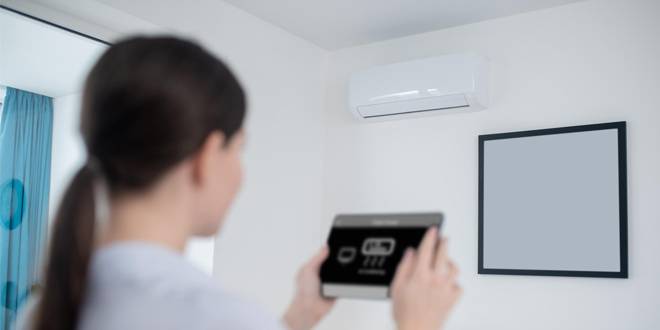
An unresponsive AC thermostat can be frustrating, especially during the hot summer months. Your thermostat is the command center for your air conditioning system, so when it doesn’t respond, your comfort can be compromised. Whether it’s a minor issue like dead batteries or a more complex problem requiring professional attention, understanding the potential causes can help you troubleshoot and resolve the issue efficiently.
In this blog, we’ll explore common reasons why your AC thermostat might not be responding and provide a step-by-step troubleshooting guide. We’ll also highlight when it’s time to call a professional and offer some preventative measures to keep your thermostat and AC system in top shape.
Common Reasons for an Unresponsive Thermostat
Several factors can cause your AC thermostat to stop responding. Understanding these common issues can help you identify and resolve the problem quickly:
1. Power Issues
One of the most common reasons for an unresponsive thermostat is a lack of power. This could be due to a tripped circuit breaker or a blown fuse.
2. Dead Batteries
If your thermostat uses batteries, they may be dead. This is an easy fix but often overlooked.
3. Incorrect Settings
Sometimes, the thermostat settings may be incorrect. This could include the system being set to “heat” instead of “cool” or the temperature setting being too high.
4. Connection Problems
Loose or damaged wiring can cause your thermostat to lose connection with your AC system, resulting in unresponsiveness.
5. Dirty Components
Dust and debris can accumulate inside the thermostat, interfering with its operation.
6. Software Malfunctions
Modern thermostats with digital displays and smart features can experience software glitches that may cause them to stop responding.
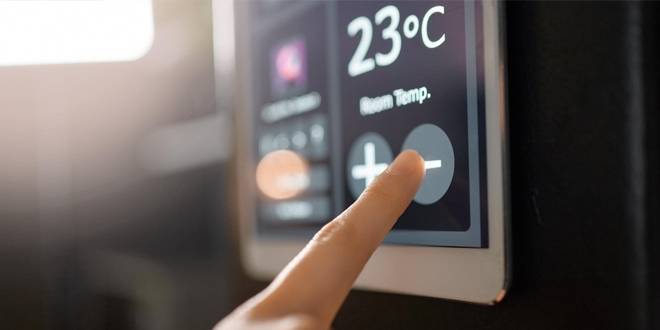
Step-by-Step Troubleshooting Guide
1. Checking the Power Supply
Ensure your thermostat has power. Check your home’s electrical panel for any tripped circuit breakers or blown fuses. Reset the breaker or replace the fuse if necessary.
2. Replacing Batteries
If your thermostat uses batteries, replace them with fresh ones. This simple step can often resolve unresponsiveness.
3. Verifying Thermostat Settings
Double-check that your thermostat is set to the correct mode (cooling) and the desired temperature. Ensure the thermostat is not set to “off” or “heat.”
4. Inspecting Wiring and Connections
Carefully remove the thermostat cover and inspect the wiring. Look for any loose, frayed, or disconnected wires. If you find any issues, reconnect or tighten the wires. If you’re uncomfortable handling wiring, it’s best to call a professional.
5. Cleaning the Thermostat
Dust and debris can interfere with your thermostat’s operation. Gently clean the interior of the thermostat with a soft brush or compressed air.
6. Resetting the Thermostat
For digital or smart thermostats, a reset may resolve software issues. Refer to your thermostat’s manual for specific reset instructions. Usually, this involves pressing a reset button or removing the batteries for a few minutes.
When to Call a Professional
While many thermostat issues can be resolved with basic troubleshooting, some problems require expert attention. Here are situations where it’s best to call a professional:
1. Persistent Issues
If your thermostat continues to be unresponsive after trying the troubleshooting steps, there may be an underlying issue that needs professional diagnosis and repair. Visit our AC repair page to schedule a service.
2. Complex Wiring Problems
Handling wiring issues can be dangerous if you’re not experienced. If you suspect a wiring problem or find damaged wires, it’s safer to have a professional technician address the issue.
3. Advanced Thermostats
Smart thermostats and those with complex features may require specialized knowledge for proper troubleshooting and repair. Our technicians are trained to handle the latest technology and can help ensure your system is functioning correctly.
4. System-Wide Issues
If your entire AC system is malfunctioning along with the thermostat, this could indicate a larger problem with your HVAC system. Professional inspection and repair can prevent further damage and restore comfort quickly.
5. Preventative Maintenance
Regular maintenance can prevent many common thermostat and AC issues. Consider joining our Club Zen Maintenance Membership for annual inspections, discounted services, and priority scheduling.
Professional assistance ensures that your thermostat and AC system are in optimal working condition, providing you with peace of mind and consistent comfort.
Preventative Measures
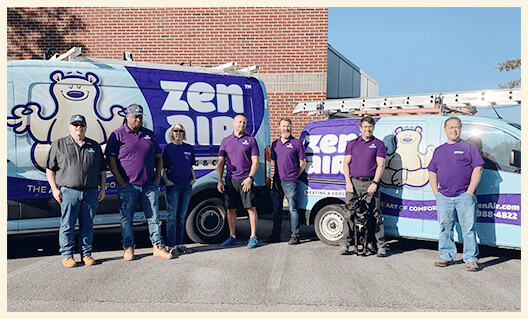
Taking preventative measures can help ensure your thermostat and AC system operate efficiently and reduce the likelihood of unresponsiveness. Here are some tips to keep your system in top shape:
1. Regular Maintenance
Schedule regular maintenance for your AC system. Annual inspections by a professional can identify and address potential issues before they become serious problems. Learn more about our maintenance services on our AC maintenance page.
2. Keep Your Thermostat Clean
Dust and debris can interfere with your thermostat’s operation. Regularly clean the exterior and, if possible, gently clean the interior components to prevent buildup.
3. Check Batteries
For battery-operated thermostats, make it a habit to replace the batteries once a year. This simple step can prevent power-related issues.
4. Verify Settings
Periodically check your thermostat settings to ensure they are correct. This includes verifying that the system is set to the appropriate mode and temperature.
5. Inspect Wiring
If you’re comfortable, periodically inspect the thermostat wiring for any signs of wear or damage. If you notice any issues, contact a professional for repairs.
6. Join a Maintenance Program
Joining a maintenance program like our Club Zen Maintenance Membership provides you with regular system check-ups, priority scheduling, and discounts on repairs. This proactive approach can save you time and money in the long run.
Implementing these preventative measures can help maintain your thermostat and AC system’s performance, ensuring your home remains comfortable year-round.
Conclusion
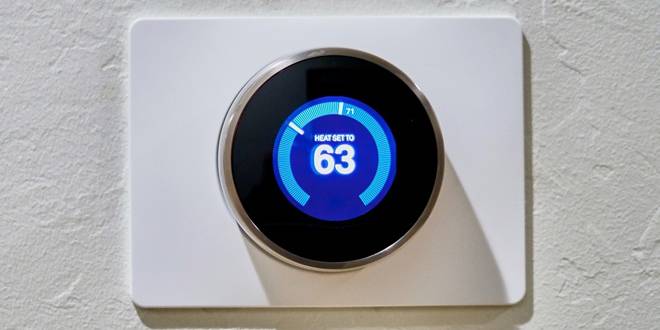
An unresponsive AC thermostat can be a significant inconvenience, but with the right knowledge and steps, you can often resolve the issue yourself. From checking the power supply and replacing batteries to inspecting wiring and resetting the thermostat, these troubleshooting tips can help you get your system back up and running.
However, if these steps don’t resolve the problem, or if you encounter more complex issues, don’t hesitate to call a professional. Our expert technicians at Zen Air Heating & Cooling are ready to assist with any thermostat or AC system issues. We offer comprehensive services, including AC repair, installation, and maintenance, to ensure your home remains comfortable year-round.
For more information or to schedule a service, visit our contact page or check our service area to see if we serve your location.
Remember, preventative maintenance is key to avoiding many common issues. Consider joining our Club Zen Maintenance Membership for regular inspections, priority scheduling, and exclusive discounts.
If you have any questions or need further assistance, feel free to reach out to us. At Zen Air Heating & Cooling, we’re committed to your comfort and satisfaction. ????